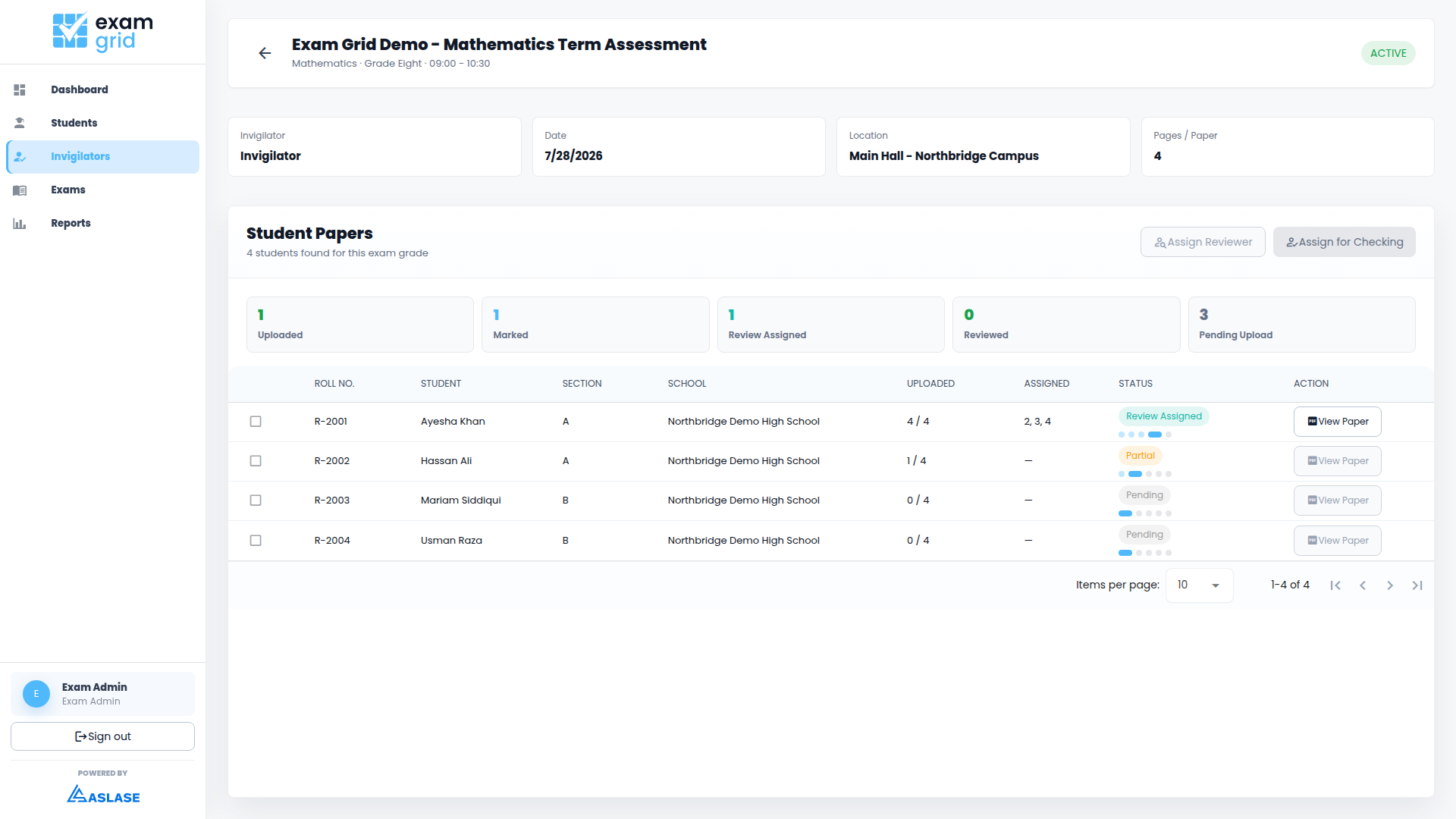
InvigilationAssigned paper roster

Exam Grid brings students, exam setup, invigilation, scanned paper uploads, marking, review, and reporting into one role-based workspace.
Create schools, import students, approve records, and keep each school cleanly separated inside one organization.
Prepare exams with subject, class, term, paper structure, questions, and assessment status in one place.
Assign invigilators, upload scanned answer sheets, and verify pages against roll numbers before marking starts.
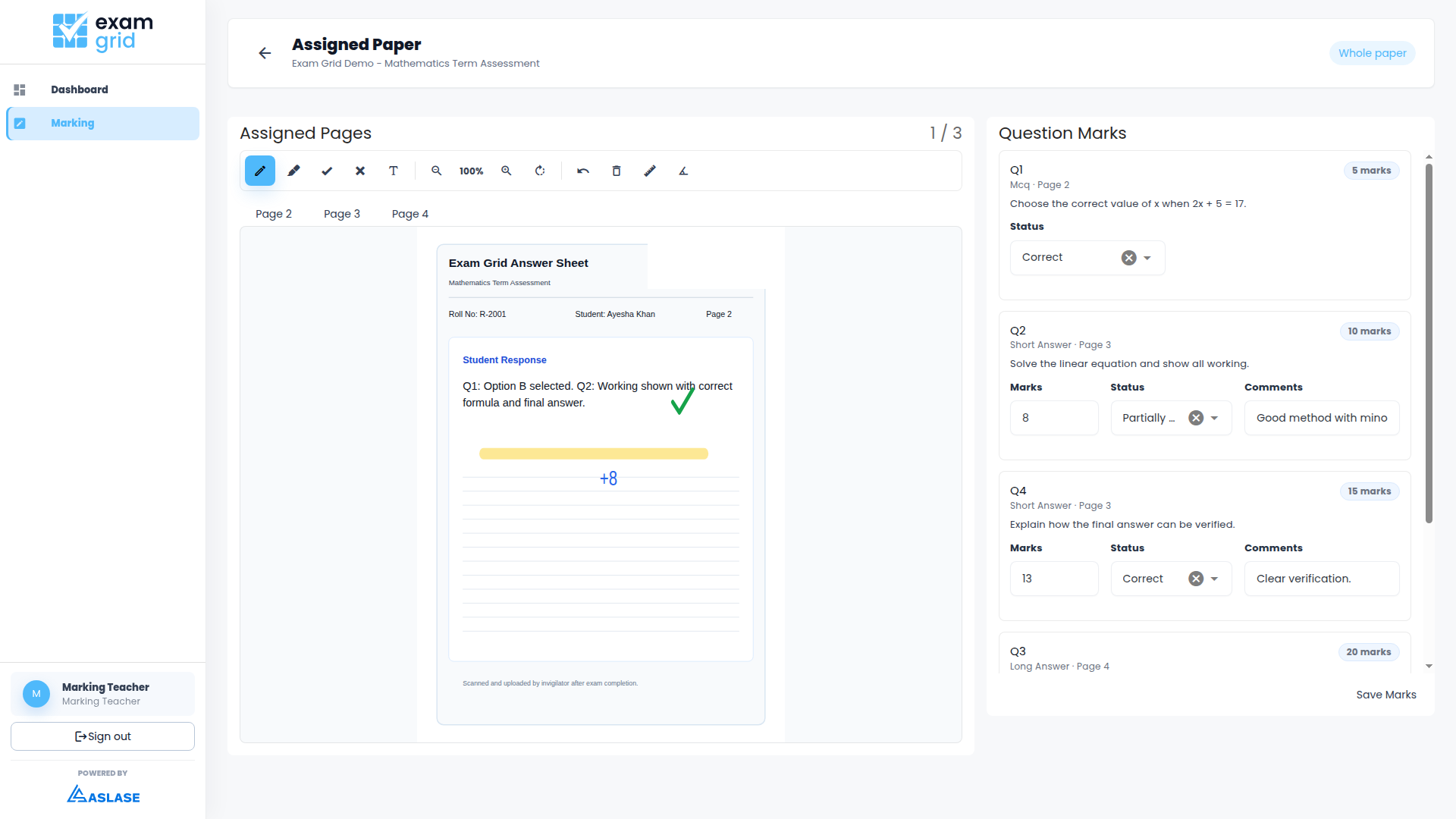
Send papers to marking teachers, capture annotations and marks, then route completed papers to reviewers.
Keep central admins, school staff, invigilators, marking teachers, and reviewers focused on their own part of the assessment cycle.
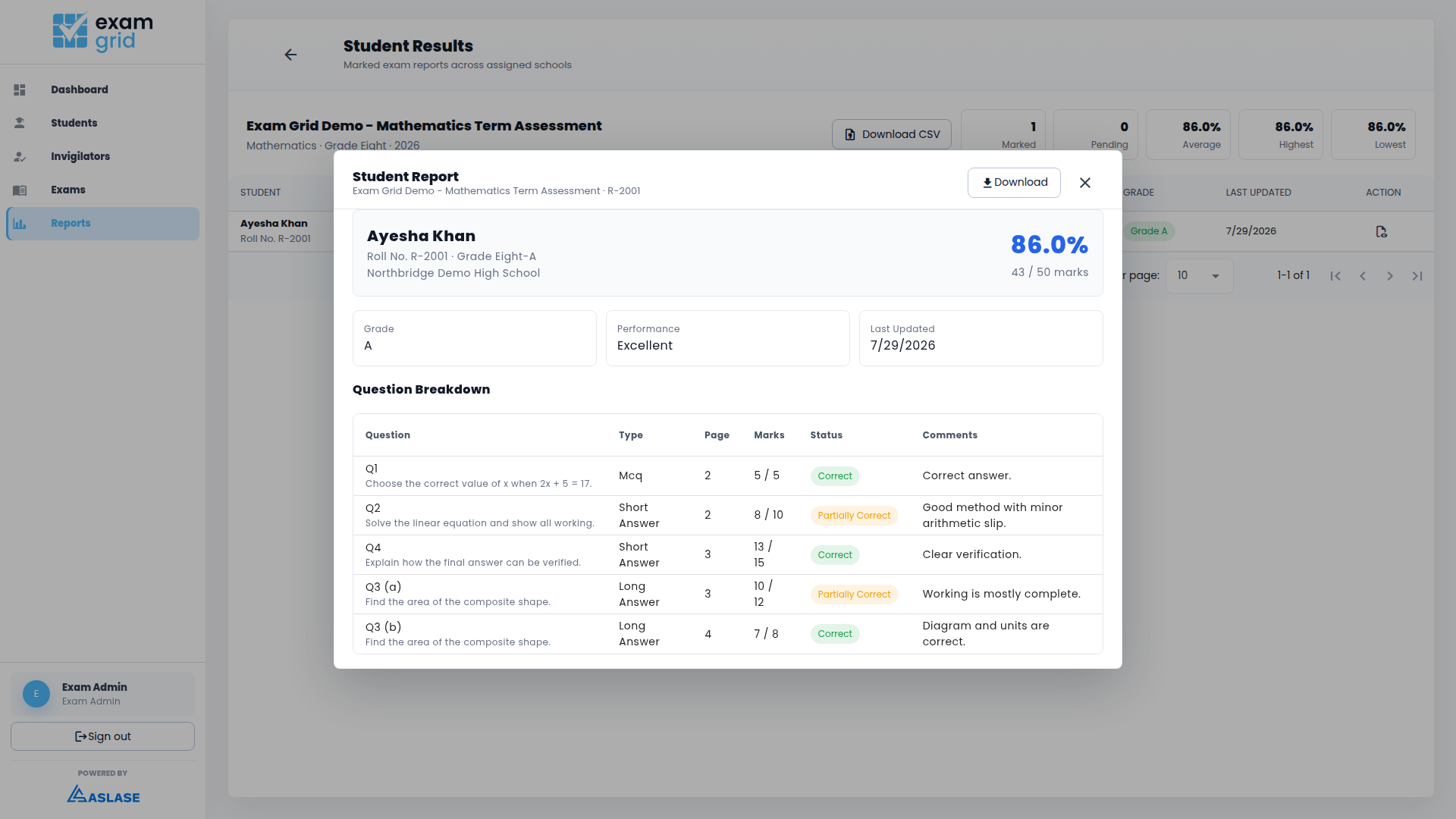
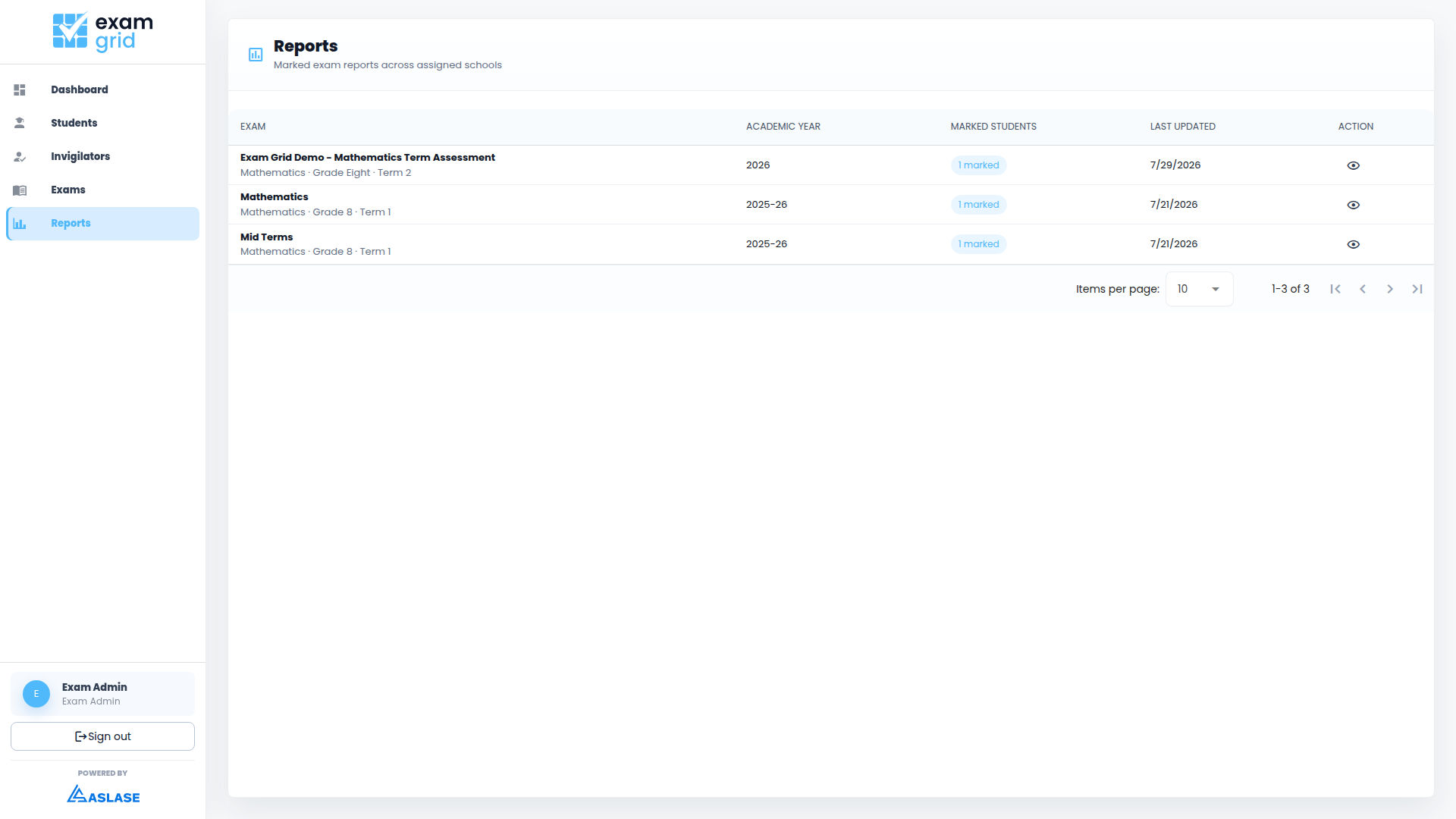
Track paper status, reviewed marks, student outcomes, and progress across schools without chasing spreadsheets.
Each organization works in its own workspace so school, student, exam, and marking records stay scoped to the right account.
Admins, invigilators, marking teachers, reviewers, and school users get focused permissions for their part of the exam cycle.
Sensitive actions can be traced across setup, uploads, marking, review, reporting, user, and license workflows.
Exam Grid is currently available through license-code activation. Direct school pricing and standard plans will be published separately as the platform moves beyond the launch phase.
Exam Grid uses authenticated access, role-based permissions, and separated organization workspaces for school and student records.
Yes. Invigilators upload scanned answer pages, verify page status, and submit completed student papers before marking begins.
Reviewed exams can produce school result tables, student-level breakdowns, CSV exports, and downloadable report files.